
VOXL2 with Third Party VTX
Table of contents
- OSD Driver Selection
- VOXL2 / HDZero Freestyle 2 Integration Guide
- VOXL2 / Caddx Integration Guide
- VOXL2 / Vista Integration Guide
OSD Driver Selection
PX4 reads the OSD value from /etc/modalai/voxl-px4.conf at startup. Edit that file and restart PX4 to apply a change:
systemctl restart voxl-px4
In SDK 1.8 (PX4 1.18) the two PX4 packages support different OSD drivers:
| Package | OSD values | Driver started |
|---|---|---|
voxl-px4 | ENABLE | msp_osd (DJI MSP) on /dev/ttyHS1 |
voxl-fpv-px4 | ENABLE, DJI, MSP_DJI | msp_osd (DJI MSP) on /dev/ttyHS1 |
voxl-fpv-px4 | HDZERO, DJI_MSP_DP | msp_dp_osd (MSP DisplayPort) on /dev/ttyHS1 (VOXL 2) or /dev/ttyHS0 (VOXL 2 Mini) |
The MSP DisplayPort driver used by HDZero and by DJI goggles with the MSP DisplayPort update is built only into voxl-fpv-px4, which voxl-configure-mpa installs on FPV SKUs such as Stinger. The standard voxl-px4 package accepts only OSD=ENABLE.
SDK 1.6 and older (PX4 1.14):
voxl-px4acceptedOSD=HDZERO,DJI, andDJI_MSP_DP. Older guides set the value directly in/usr/bin/voxl-px4;/etc/modalai/voxl-px4.confoverrides it. OSD parameter helpers for PX4 1.14 are in v1.14/other_helpers.
VOXL2 / HDZero Freestyle 2 Integration Guide
Hardware
Using M0151 addon board.
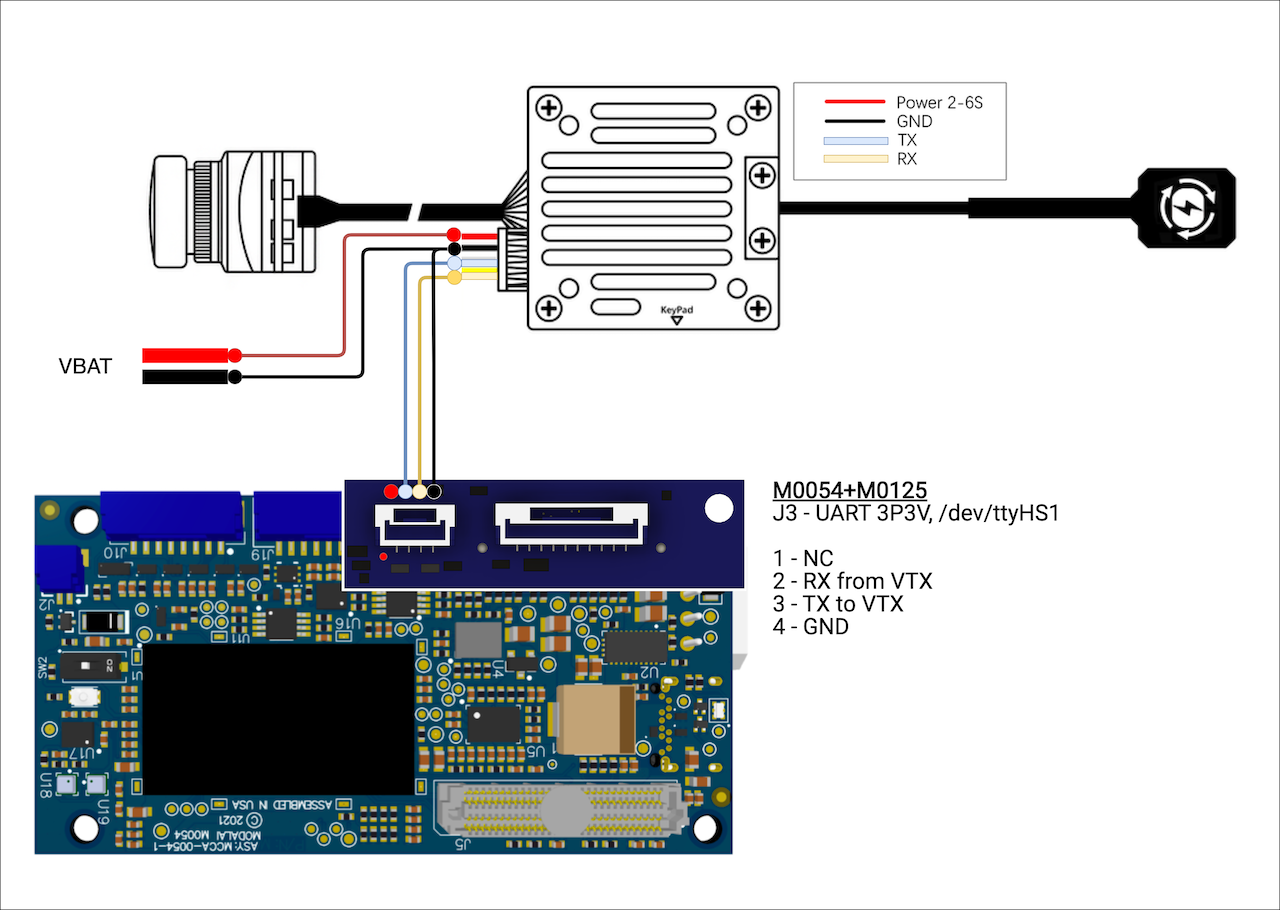
Using M0130 addon board.
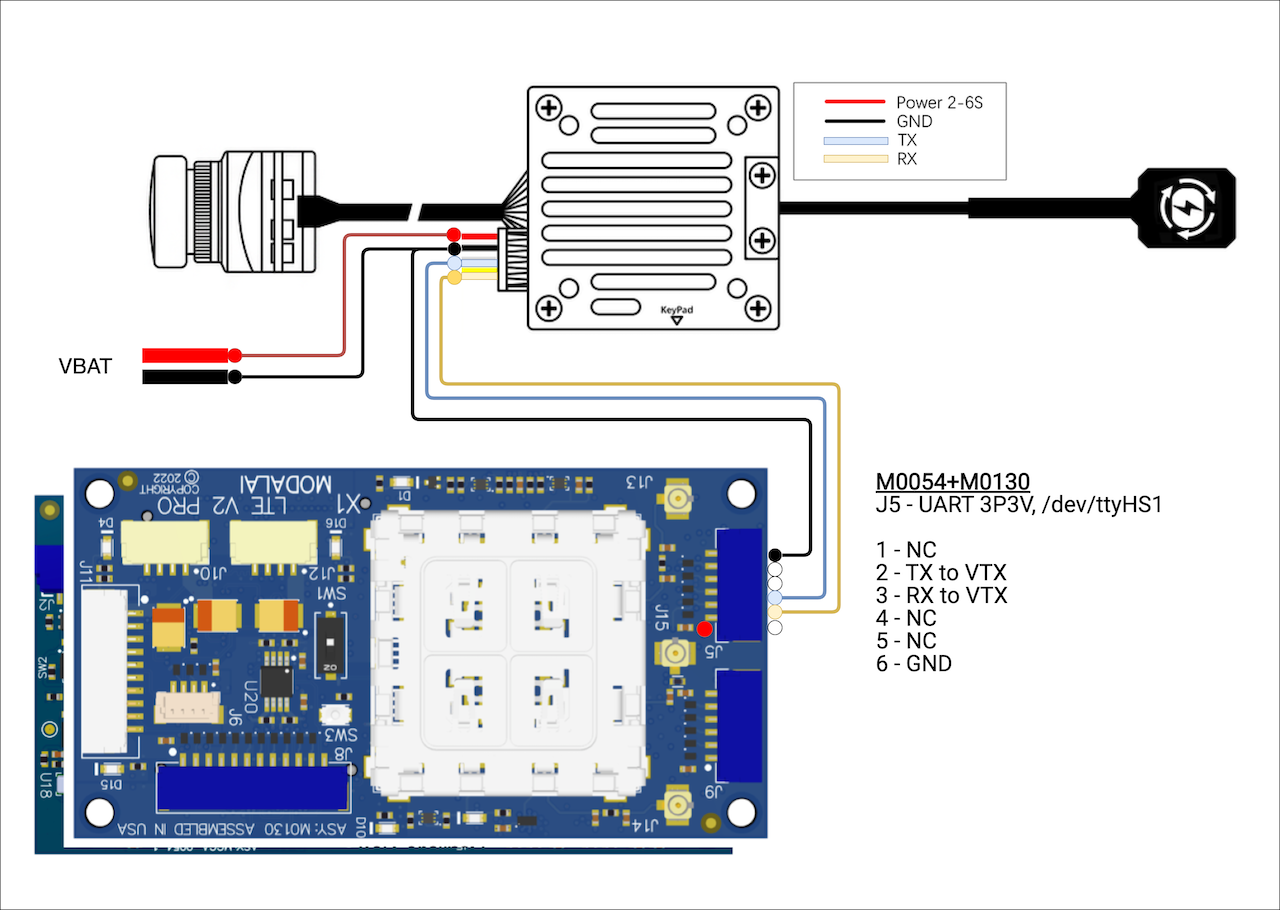
Software
- VOXL SDK 1.2.1 or newer required
- Requires the
voxl-fpv-px4package (see OSD Driver Selection) - For PX4 parameters, reference v1.18/other_helpers/msp_dp_osd.params for required params
- Set
OSD=HDZEROin/etc/modalai/voxl-px4.conf
VOXL2 / Caddx Integration Guide
Hardware
Using M0151 addon board.
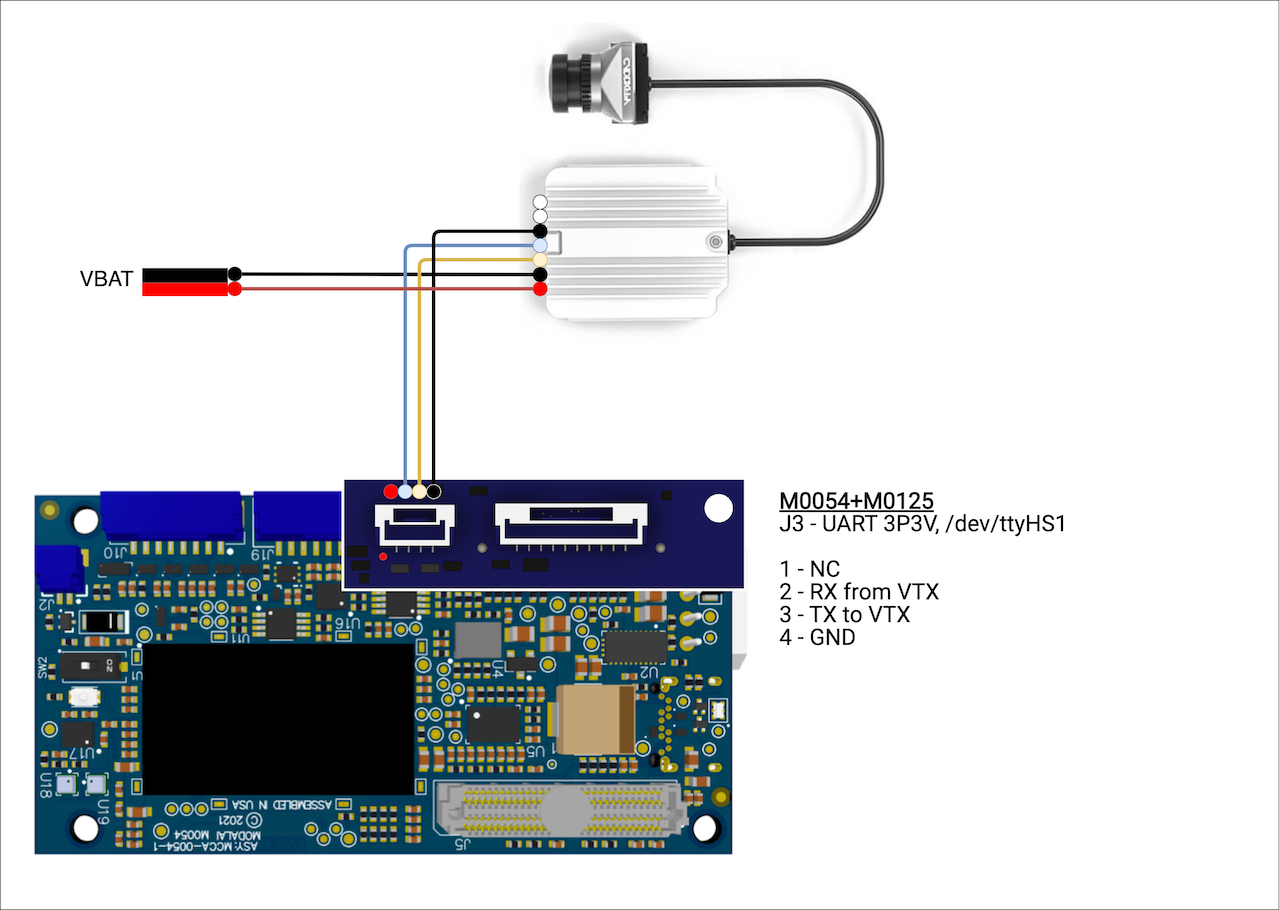
Using M0130 addon board.
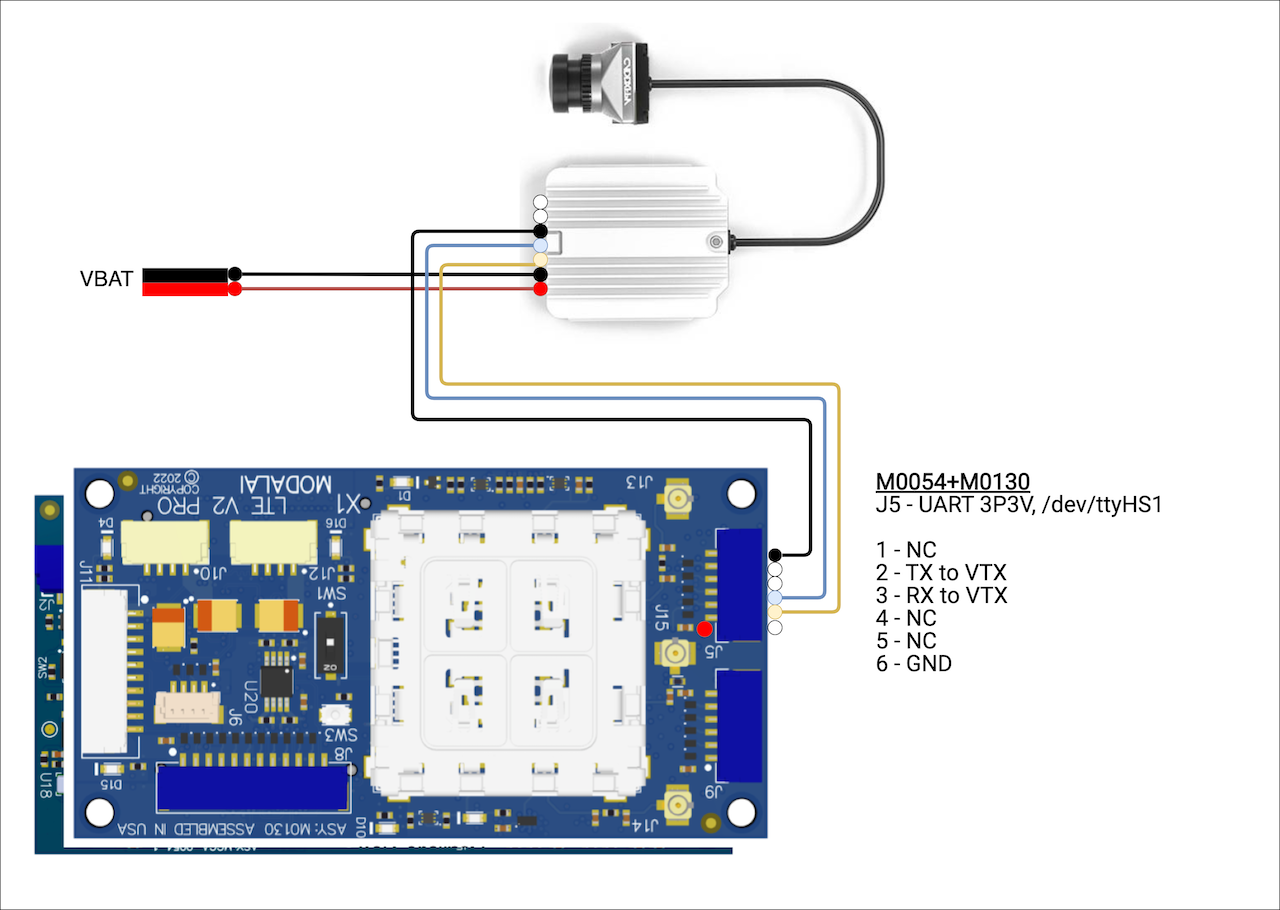
Software
- VOXL SDK 1.2.1 or newer required
- Set
OSD=ENABLEin/etc/modalai/voxl-px4.conf
VOXL2 / Vista Integration Guide
Hardware
TODO
Software
- VOXL SDK newer than 1.3.2 (1.3.3+)
- For the normal DJI OSD interface set
OSD=ENABLEin/etc/modalai/voxl-px4.conf - For the MSP DisplayPort OSD interface set
OSD=DJI_MSP_DPin/etc/modalai/voxl-px4.conf; this requires thevoxl-fpv-px4package (see OSD Driver Selection)