Hardware
Table of contents
- Supported Devices
- Hardware Block Diagrams
- ESC Configs
- RC Configs
- Onboard Sensors
- Offboard Sensors
- Autopilot Orientation
Supported Devices
The voxl-px4 package is supported on the following platforms:
- VOXL 2 Mini (board ID
M0104) - VOXL 2 (board ID
M0054)
Hardware Block Diagrams
Below are hardware block diagrams that show the VOXL 2 and VOXL 2 Mini in supported architectures used to facilitate robotics applications. Many other variations are possible.
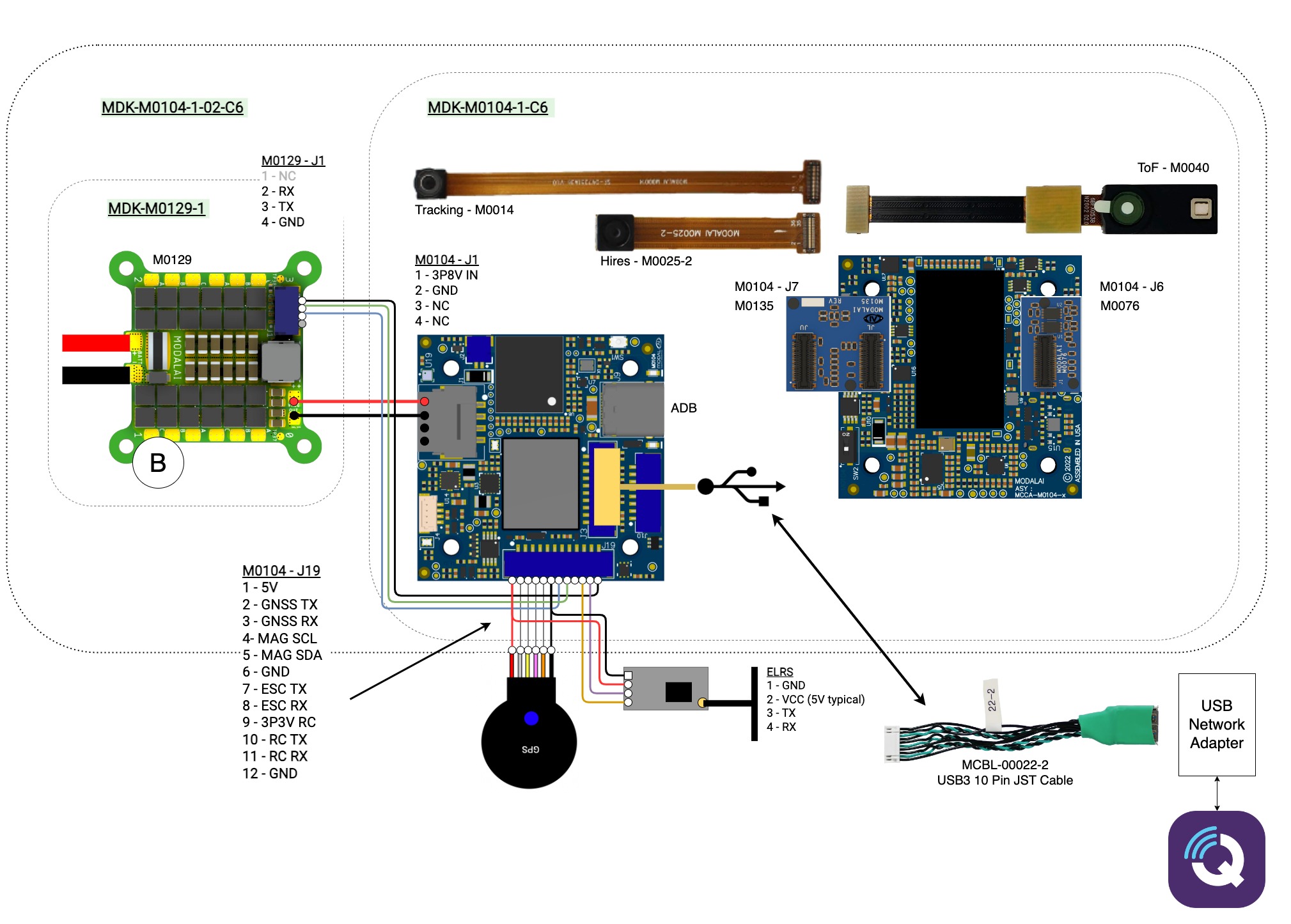
Minimum Setup Option
Minimum requirements are (e.g. to play around at your desk)
Setup to Connect to Ground Control Station
Additionally/Optionally (e.g. to connect to Ground Control Station):

Minimum Setup Option
Minimum requirements are (e.g. to play around at your desk)
- VOXL 2 Development Kit (MDK-M0054-1-01)
- VOXL 2 (MDK-M0054-1-00)
- VOXL Power Module (MDK-M0041-1-B-00)
- Power cable (MCBL-00001-1)
- Power supply 12V 3A ((MPS-00005-1), XT60) (or 2S-6S battery)
- Note: inrush current on bootup requires 30W power supply min, nominally ~8W at runtime in beta
- Host PC with Android Debug Bridge
- USBC cable
Setup to Connect to Ground Control Station
Additionally/Optionally (e.g. to connect to Ground Control Station):
- Add-on board for networking:
- USB Expansion Board (M0017) + JST-to-USB cable (MCBL-00009-1) + Ethernet or Wi-Fi dongle
- 5G Modem Add-on (M0090-3-01) + your own VPN
- Microhard Modem Add-On (M0048-1)
Setup for Bringup and Manual Flight
Additionally/Optionally (e.g. to fly manual modes, testing and bringup):
- ModalAI 4-in-1 UART ESC (M0049)
- GPS/Mag/Spektrum RC input wiring harness (MSA-D0006-1-00) - or make your own 12-pin JST GH connector (pinouts)
- the actual GPS/Mag/Spektrum RC* receiver hardware
- Frame/Motors/Props/etc
ESC Configs
Information about ESC configs:
RC Configs
Information about RC configs:
Onboard Sensors
Information about onboard sensors:
Offboard Sensors
Information about offboard sensors:
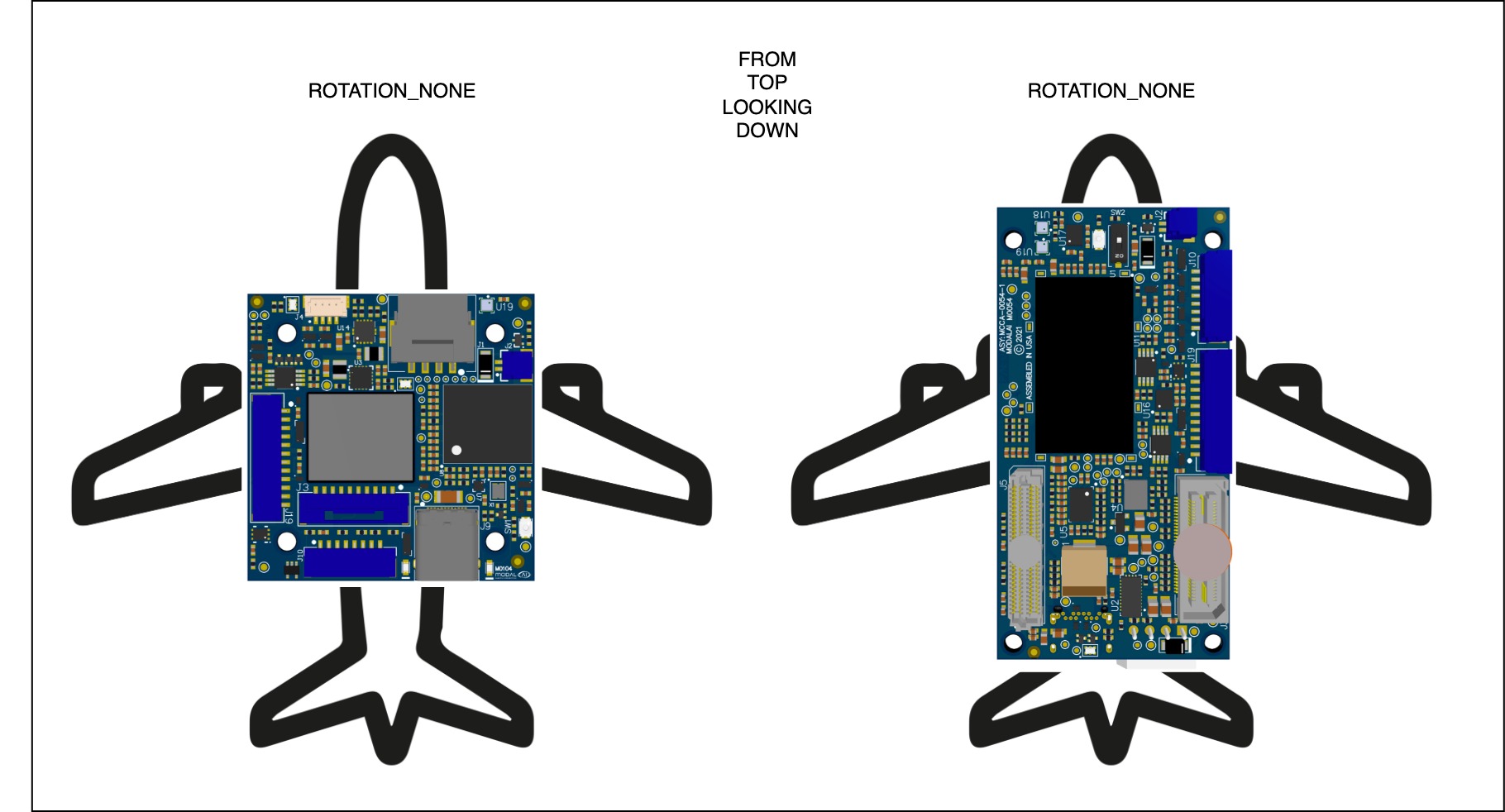
Autopilot Orientation
Below are the default autopilot orientations. To update for your setup, use the SENS_BOARD_ROT parameter or configure using a Ground Control Station like QGC.